CA Intermediate May 2026 Results: Shardul Vichare From Dombivli Secures All India Rank 1
· Free Press Journal
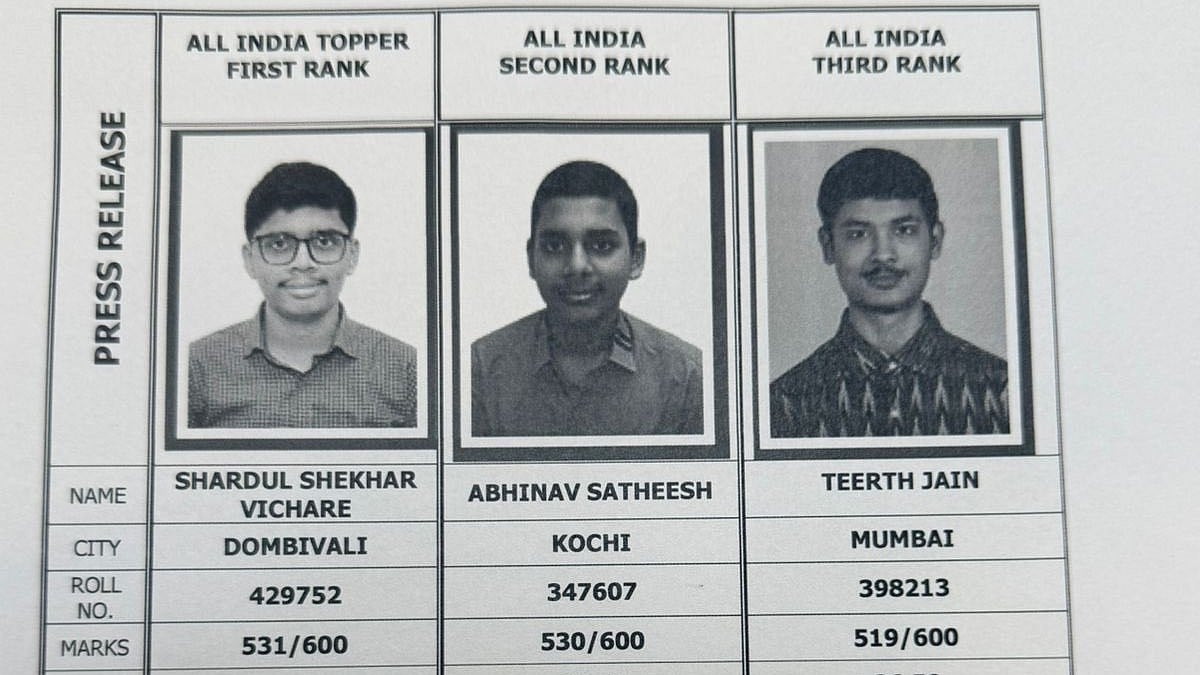
ICAI CA Intermediate May 2026 Topper List: The results of the May 2026 Chartered Accountant (CA) intermediate exam have been released by the Institute of Chartered Accountants of India. Those who took the CA intermediate exams between May 5 and May 15, 2026, can now access their results via the ICAI's official website, caresults.icai.org.
ICAI CA Intermediate May 2026 Topper List Released: Rank list for all of India
Visit arroznegro.club for more information.
In addition to announcing the results, ICAI releases the May 2026 CA Intermediate Examination All India Rank List. With a total score of 531out of 600 is the top scorer in the CA intermediate exams.
1. All India Topper – First Rank
Name: Shardul Shekhar Vichare
City: Dombivalli
Roll No.: 429752
Marks: 531/600
Percentage: 88.50%
2. All India Second Rank
Name: Abhinav Satheesh
City: Kochi
Roll No.: 347607
Marks: 530/600
Percentage: 88.33%
3. All India Third Rank
Name: Teerth Jain
City: Mumbai
Roll No.: 398213
Marks: 519/600
Percentage: 86.50%
ICAI CA Intermediate May 2026 Topper List Out: Scorecard information
Candidates can download their scorecards by logging in with their roll number and registration number.
A CA Intermediate exam scorecard contains the following details: the candidate's name, photo, roll number, exam session, group-wise and subject-wise marks, total marks earned, and qualifying status.
ICAI CA Intermediate May 2026 Topper List Out: Steps to check the result
Step 1: Go to the official ICAI website by clicking this link: caresults.icai.org/
Step 2: Select the links that show the May 2026 CA Intermediate Result.
Step 3: Enter your registration number and ICAI roll number.
Step 4: Enter the displayed CAPTCHA code.
Step 5: Verify your CA result by clicking "submit."
ICAI CA Intermediate May 2026 Topper List: How to submit an application for mark verification
Candidates must follow the steps listed below in order to apply for CA Marks Verification:
Step 1: Visit the ICAI eServices website.
Step 2: Enter the captcha code and user ID password.
Step 3: Select the "Login" option
Step 4: Select the CA paper or papers to verify the marks.
Step 5: Scan and upload your handwritten request.
Step 6: Fill out the form and pay the required amount.
Candidates are advised to continue visiting the official website for additional information.